
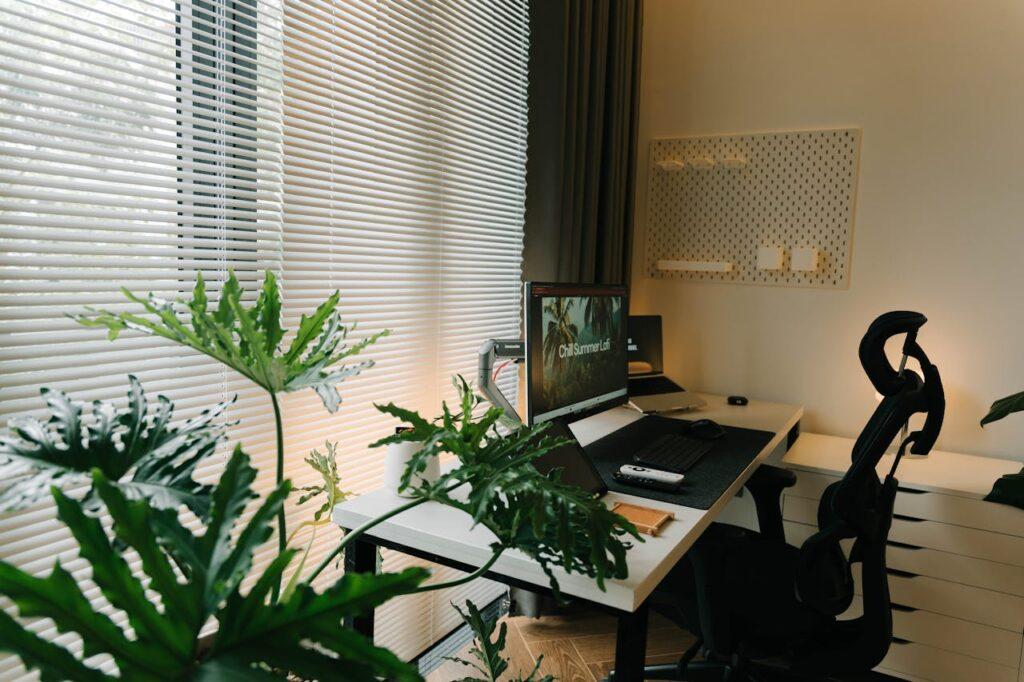
For budding entrepreneurs meeting clients from a spare room or kitchen corner, the work can be solid while the setting feels uncertain. The core tension is simple: a home-based office setup has to support professional client meetings without looking improvised, especially when a camera turns every background detail into part of the brand.
In virtual client meetings, small distractions can chip away at focus, and in-person visits can feel harder to host with confidence. A client-ready space signals reliability, strengthens confidence in client interactions, and helps every meeting land clearly.
Set Up a Client-Ready Home Office in 5 Steps
This process helps you shape a home office that looks credible on camera and feels easy to host in when a client stops by. It matters because small upgrades in layout, gear, and organization reduce distractions and make you appear more reliable.
- Audit what clients can see and hear
Start with a fast physical sweep of your desk zone, your camera background, and the path a visitor would walk. Note anything that looks cluttered, personal, or noisy, plus any lighting that makes you look shadowy. This quick review tells you what to fix first for the biggest professionalism boost. - Choose your “on-camera wall” and seating angle
Pick one simple backdrop and commit to it, ideally a plain wall, a tidy shelf, or a single piece of art. Position your chair so the camera sees that backdrop, not the rest of the room, and keep the lens at eye level. This makes every virtual meeting feel intentional, even if the rest of your home is busy. - Lock in essentials for video and audio clarity
Prioritize three items: a stable internet connection, a decent microphone or headset, and a front-facing light source like a lamp or ring light. Test a short recording to check echo, glare, and whether your face is evenly lit. Clear sound and lighting often create a stronger impression than expensive furniture. - Organize for “two-minute meeting prep.”
Create a small launch zone with a notebook, pen, charger, water, and any client handouts so you are never searching mid-call. Use one drawer or bin for cables and spare supplies, and label it so you can reset fast after each meeting. The goal is to start every session calm, not rushed. - Build an in-person-ready routine and checklist
Keep a quick reset checklist for wiping the desk, clearing the chair, and setting out a clean notepad before anyone arrives. If you might host clients, also plan where coats and bags go and keep one spot for agreements or invoices. A simple routine turns a home workspace into a space you can confidently welcome people into.
Protect Your Workday: Plan for Home System Breakdowns
If you run your business from home, an unexpected electrical issue or breakdown in a key home system can derail client calls, delay deliverables, and force you into costly last-minute fixes. One practical way to reduce that disruption risk is investing in a home warranty, so repairs don’t become a surprise expense that throws off your budget.
Home warranties are customizable annual service plans that cover repair or replacement of major home systems and appliances, with optional add-ons to help homeowners manage unexpected repair costs due to normal wear and tear. If you want to make your workspace reliability and costs more predictable, explore warranty packages for homeowners that fit the systems and appliances your workday depends on.
Client-Ready Home Office Setup Checklist
This quick checklist helps you walk into every call calm, clear, and confident. Run it before client meetings to catch small gaps that can quietly undermine a polished impression.
✔ Confirm internet speed and backup hotspot are working
✔ Test camera, microphone, and lighting in your meeting app
✔ Set a clean background and remove distracting clutter
✔ Arrange desk, chair, and monitor for comfortable posture
✔ Charge laptop and plug into a surge protector
✔ Prepare client notes, agenda, and files in one folder
✔ Silence notifications and set a visible “do not disturb” cue
Check these off, then show up like you planned for everything.
Home Office FAQs Clients Notice (and How to Fix Them)
Q: What should I do if my Wi-Fi gets unstable right before a call?
A: Switch to a wired Ethernet connection if you can, then restart your router and rejoin the meeting. Keep a phone hotspot ready and pre-tested so you can swap networks in under a minute. If your audio starts breaking up, turn off HD video first to save bandwidth.
Q: How can I stop echo and “tinny” audio without buying expensive gear?
A: Move the mic closer to your mouth by using wired earbuds, and reduce room echo with a rug, curtains, or even a folded blanket behind your screen. In your meeting app, select the correct microphone and disable “auto” input if it keeps hunting. Do a 10-second recording test and listen back before you invite clients.
Q: What’s the simplest camera and lighting setup that looks professional?
A: Place your camera at eye level and face a window or a soft lamp aimed at the wall behind your camera. Avoid strong backlight from bright windows, which turns you into a silhouette. A small ring light on low power is often enough for clean, even skin tones.
Q: Can I use smart office gadgets without making my setup feel complicated?
A: Yes, pick one pain point and automate only that, like a smart plug for your key light or a schedule for “focus mode.” The trend is mainstream, with the smart office market growing fast, but you do not need a full makeover to benefit. Keep manual controls as a fallback so nothing derails a client call.
Q: Should I address distractions like pets, kids, or doorbells during meetings?
A: Set expectations early: mention you are in a home office, then say you have everything handled. Use a headset, close the door, and place a visible “in a meeting” cue outside. If an interruption happens, apologize once, mute, fix it quickly, and return to the agenda.
Make One Home Office Upgrade That Clients Notice Immediately
Working from home can feel like a tradeoff: comfort for control, and convenience for a weaker client impression when tech or visuals slip. The steadier approach is to treat your workspace like a client-facing system, simple standards, calm troubleshooting, and consistent home office implementation that supports the work you do every day.
When that mindset sticks, the benefits of home office life show up fast: smoother calls, higher workspace productivity, and clearer entrepreneur motivation because the environment stops fighting you.
Your office doesn’t need to be perfect; it needs to be consistent. Choose one upgrade today, lighting, audio, background, or workflow, and lock it in as your new baseline. That small habit builds confidence, resilience, and growth as your business scales.
Article by Megan Cooper
Photo by Alpha En: https://www.pexels.com/photo/modern-home-office-with-green-plant-decor-28461033/